Transfer Dropbox to GoogleDrive
Transfer files from Dropbox to Google Drive seamlessly and efficiently with the Transfer Dropbox to GoogleDrive Chrome extension. This handy tool eliminates the need to download files from Dropbox to your computer and then re-upload them to Google Drive, saving you time and effort.
With this extension, you can easily move your files from Dropbox to Google Drive without any hassle. Additionally, you can sync files between the two cloud storage services, allowing you to access and manage your files across multiple devices.
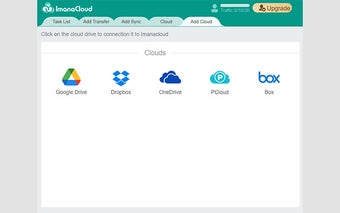
Key features of the Transfer Dropbox to GoogleDrive extension include support for Google Drive, Dropbox, OneDrive, PCloud, and Box. You can conveniently manage multiple cloud accounts in one console, making it easier to organize and transfer your files. The extension also offers automatic transfer and sync capabilities, enhancing your productivity.
One of the standout features of this extension is the ability to transfer or sync large files in one go, eliminating the need to transfer them in batches. Even if your browser is closed, the extension can continue to transfer or sync files in the background. This ensures that your file transfers are not interrupted and saves you valuable time.
The Transfer Dropbox to GoogleDrive extension also provides fast transfer speeds, even with poor network connections, allowing you to enjoy a seamless transfer experience. In case you encounter any issues, the extension offers 24/7 customer support services to assist you in solving problems quickly.